Containerlab Desktop GUI#
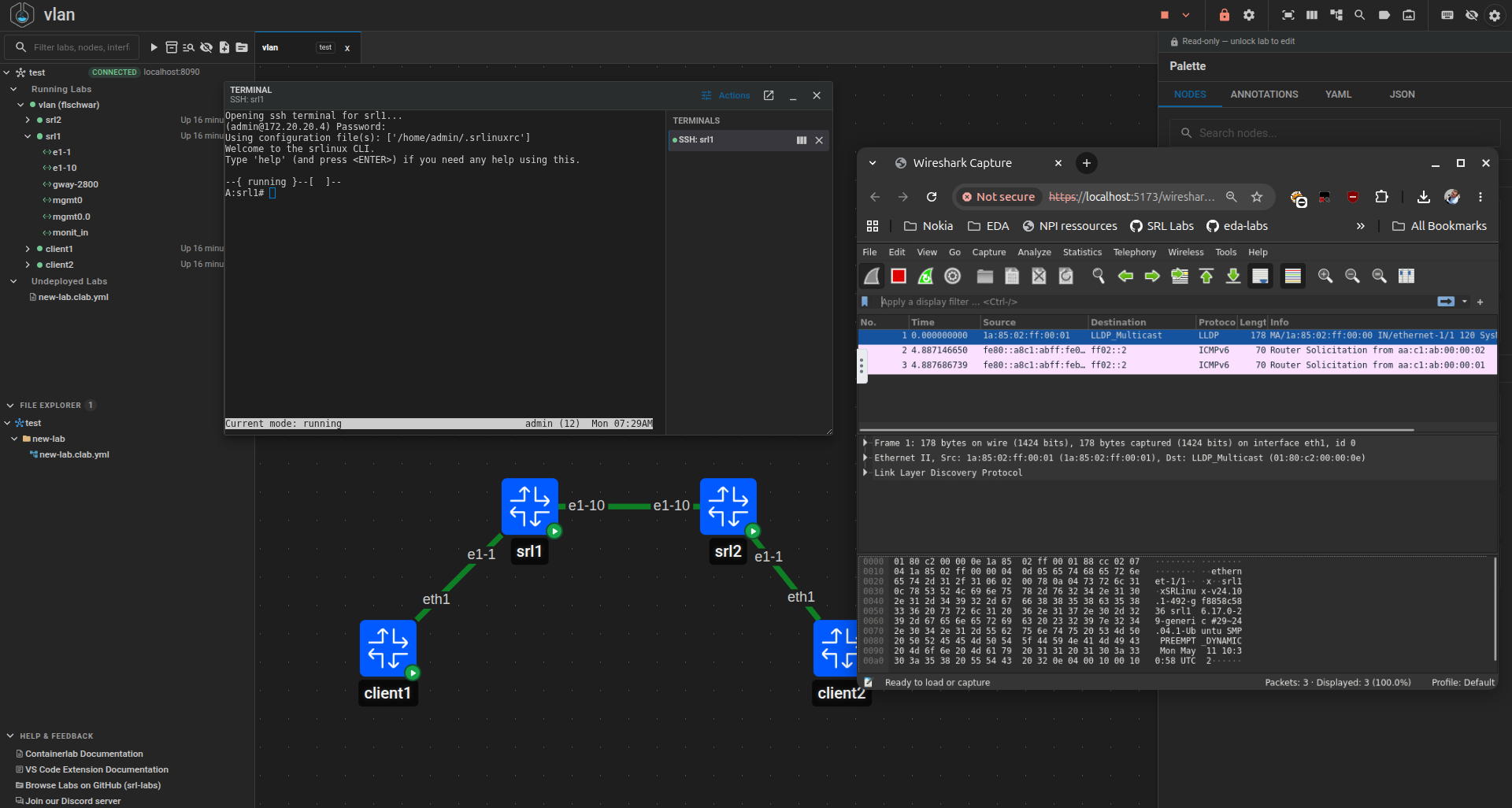
The Containerlab Desktop GUI is a standalone application for Linux, macOS, and Windows. It uses the same Containerlab GUI as the Web app, but packages it in an Electron desktop window.
The desktop app does not run labs by itself and does not start clab-api-server for you. It connects to a reachable clab-api-server, and the API server performs the lab operations on the Linux host that owns the container runtime and lab files.
Before you start#
Install and start clab-api-server on the lab host first. For regular use, the systemd service is the recommended API server installation method.
The user who logs in from the desktop app must:
- exist on the API server host
- know their Linux password
- belong to the configured
API_USER_GROUPorSUPERUSER_GROUP
With the default API server settings, add the user to clab_api:
See the API Server manual for full installation, upgrade, TLS, group, and security details.
Installation#
Download the desktop package from the containerlab-app releases.
| Platform | Artifact | Install |
|---|---|---|
| Debian / Ubuntu | containerlab-desktop-<version>-amd64.deb |
sudo apt install ./containerlab-desktop-<version>-amd64.deb |
| Fedora / RHEL | containerlab-desktop-<version>-x86_64.rpm |
sudo dnf install ./containerlab-desktop-<version>-x86_64.rpm |
| Other Linux | containerlab-desktop-<version>-x86_64.AppImage |
chmod +x ./containerlab-desktop-<version>-x86_64.AppImage && ./containerlab-desktop-<version>-x86_64.AppImage |
| macOS | containerlab-desktop-<version>-universal.dmg |
Open the DMG and move the app to Applications. |
| Windows | containerlab-desktop-<version>-x64-setup.exe |
Run the installer. |
Note
The macOS and Windows packages may show OS trust warnings until signing and notarization are available.
First login#
On first launch, add an API server endpoint and log in with a Linux user accepted by that API server.
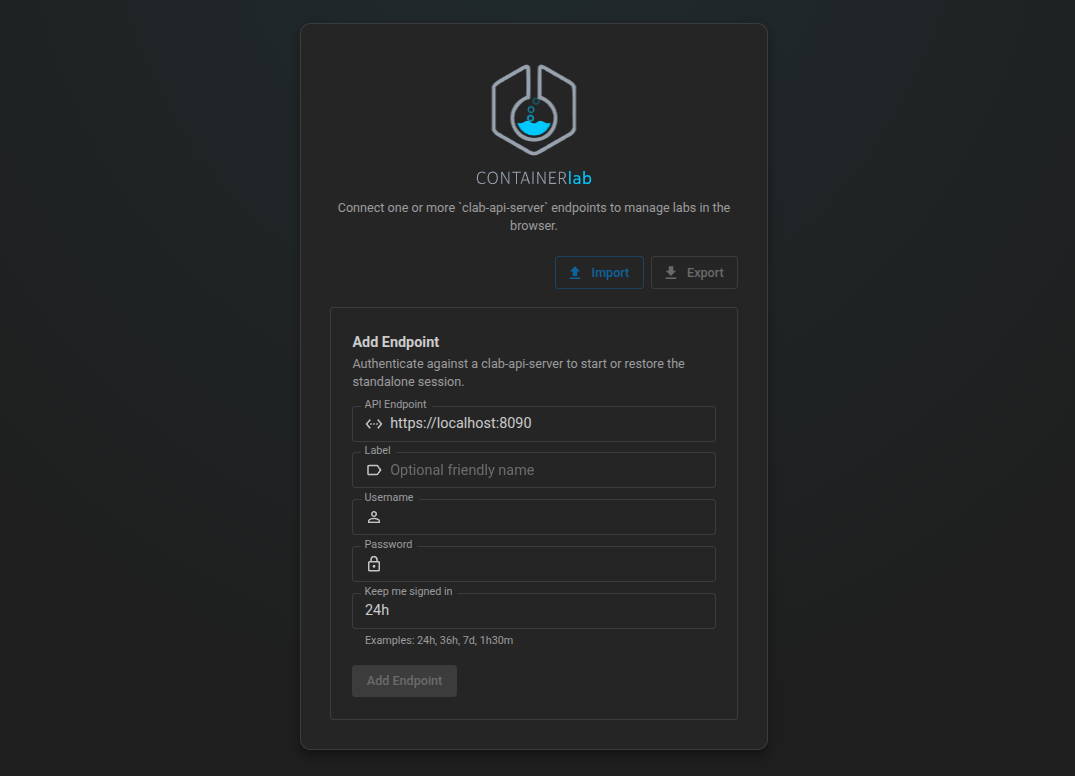
The desktop app asks for:
- API server URL, for example
https://lab-host.example.com:8090 - endpoint label
- Linux username
- Linux password
- session duration
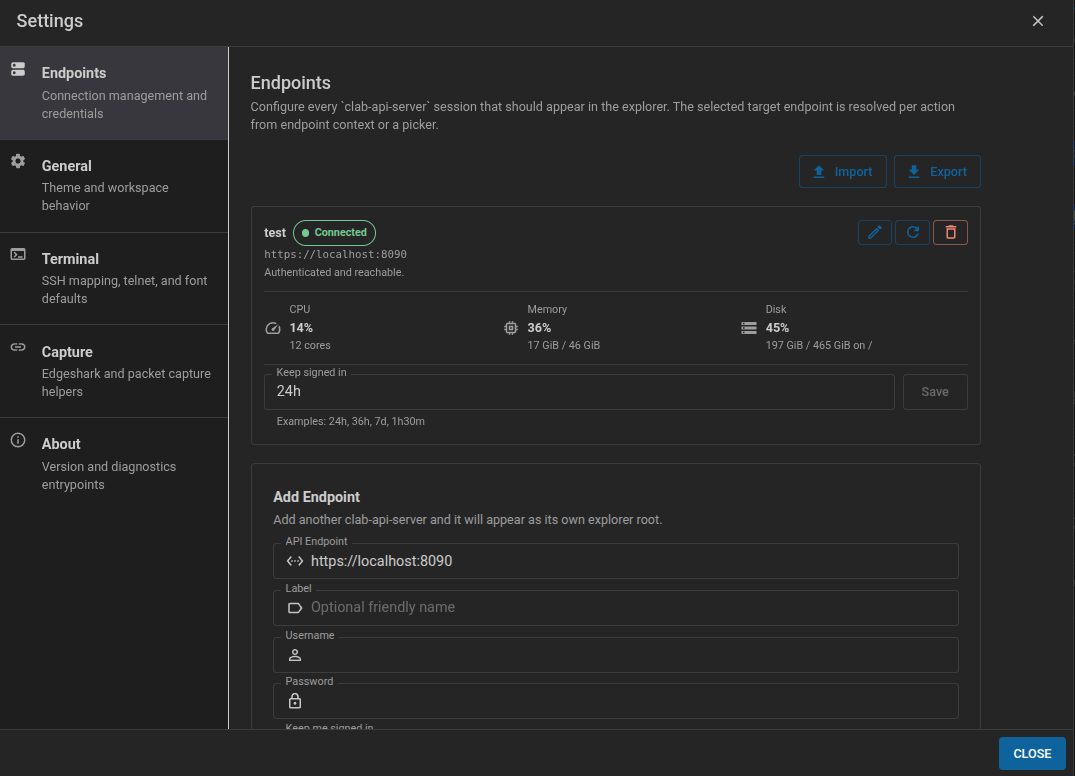
After login, the app stores an endpoint session and uses the API server token for lab operations. Endpoint settings let you add, edit, reconnect, remove, import, and export API server connections.
Multiple endpoints#
The desktop app can keep several API server endpoints. This is useful when you manage more than one lab host, for example a local VM, a shared lab server, and a remote test host.
Each endpoint profile contains:
- API server URL
- endpoint label
- Linux username
- session duration
Passwords and active tokens are not part of exported endpoint profiles. After importing endpoint profiles on another workstation, reconnect each endpoint with the Linux password for that API server.
The Explorer groups labs and topology files by endpoint. Actions run on the endpoint that owns the selected lab or topology file. If an action starts from a place where the endpoint is ambiguous, the app asks which connected endpoint to use.
Custom node templates are also endpoint and user specific. The API server stores them for the Linux user who is logged in on that endpoint, under that user's ~/.clab directory. If you create a template while connected to lab-a as alice, it is available to alice on lab-a; connecting to another endpoint or another user loads that endpoint/user template set.
Configuration#
| Variable | Default | Purpose |
|---|---|---|
CLAB_API_URL |
https://localhost:8090 |
Default API URL shown on the login screen. |
CLAB_API_TLS_VERIFY |
false |
Verify the upstream API server TLS certificate. |
CONTAINERLAB_DESKTOP_PORT |
32180 |
Preferred local loopback port for the embedded app server. |
CONTAINERLAB_DESKTOP_DEBUG |
unset | Enable desktop app-server debug logging. |
Deployment shapes#
Local Linux host#
If the desktop app and API server run on the same Linux host, the default endpoint is usually:
Remote lab host#
If the API server runs on a remote lab host, use the reachable hostname or IP address:
Make sure firewall rules allow the desktop workstation to reach the API server port.
macOS and Windows#
Containerlab labs still run in Linux. On macOS and Windows, run clab-api-server in the Linux VM, devcontainer, Docker Desktop VM, OrbStack VM, or remote lab host that owns the container runtime and lab files. Then connect the desktop app to that API endpoint.
Common checks#
Check that the API server is reachable:
Check the API server service:
If login fails, verify that the user exists on the API server host and belongs to the configured API_USER_GROUP or SUPERUSER_GROUP.